 Titan AI
 TikTok Shop setup
Claude
Add Titan AI TikTok MCP to Claude on the web or desktop and sign in with Titan Tools.
Before you start
You need a Titan Tools account with your TikTok Shop linked, and a Claude account on a plan that includes connectors. In Claude, open Customize, then Connectors. On Team and Enterprise it is under Organization settings, then Connectors.
Every tool only reads, so there are no changes to approve. If the sign-in says your account doesn't have access yet, send us feedback to ask for access.
Set it up
- 1
Add a custom connector
Choose Add custom connector, name it Titan AI TikTok MCP, and give it this address. You do not need an API key.
texthttps://ai.titannetwork.com/tiktok/mcp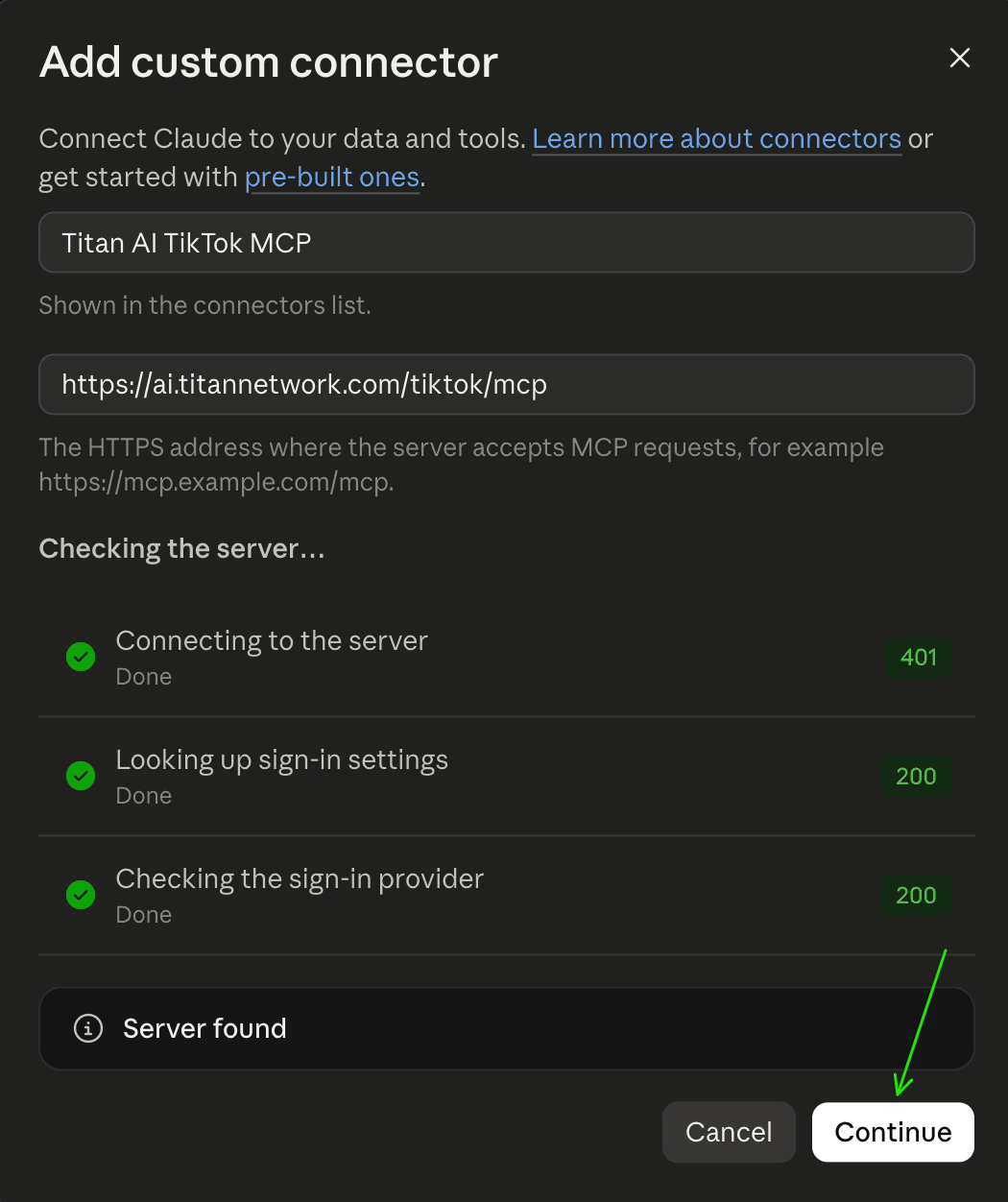
Claude checks the address before you continue. - 2
Keep the sign-in settings and press Add
Claude detects how the connector signs in. Leave the detected options as they are.
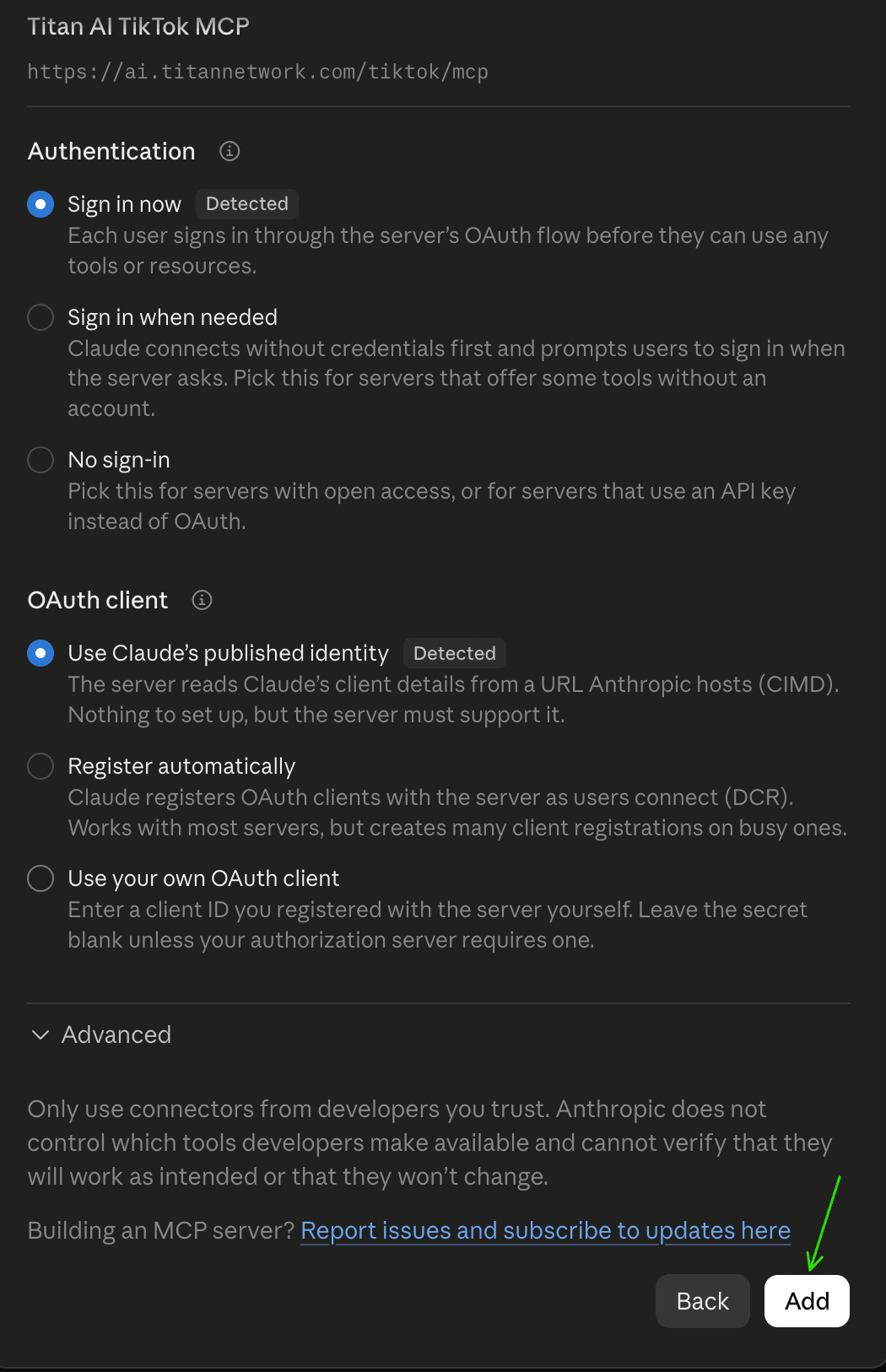
Both options are detected for you. - 3
Press Connect
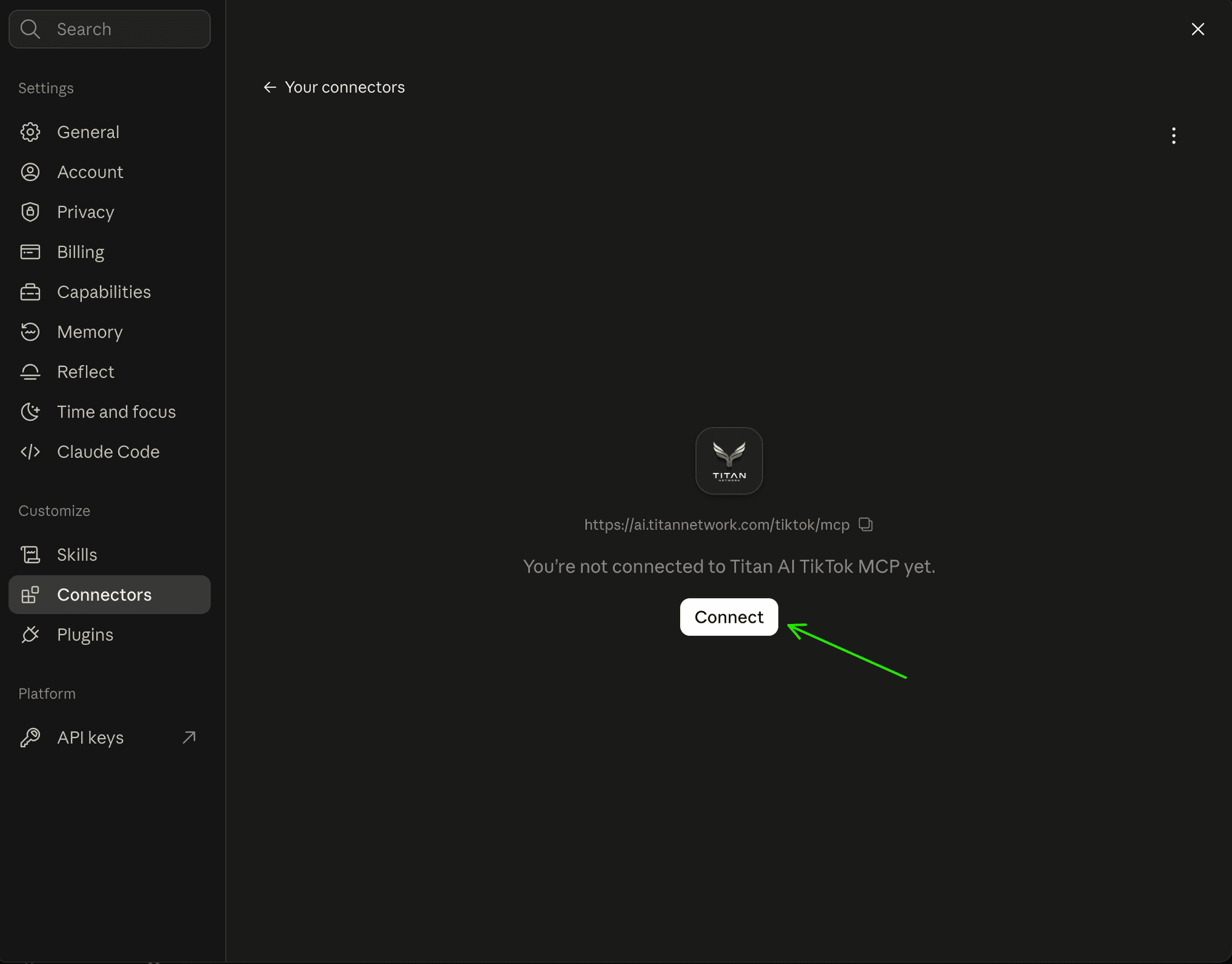
The connector shows under the name you gave it. - 4
Sign in with Titan Tools
Your browser opens a Titan Tools sign-in. Use the Titan Tools account your TikTok Shop is linked to. The AI app never sees your Titan Tools password.
- 5
Allow it
Check what the screen says the app will be able to do, then choose Allow.
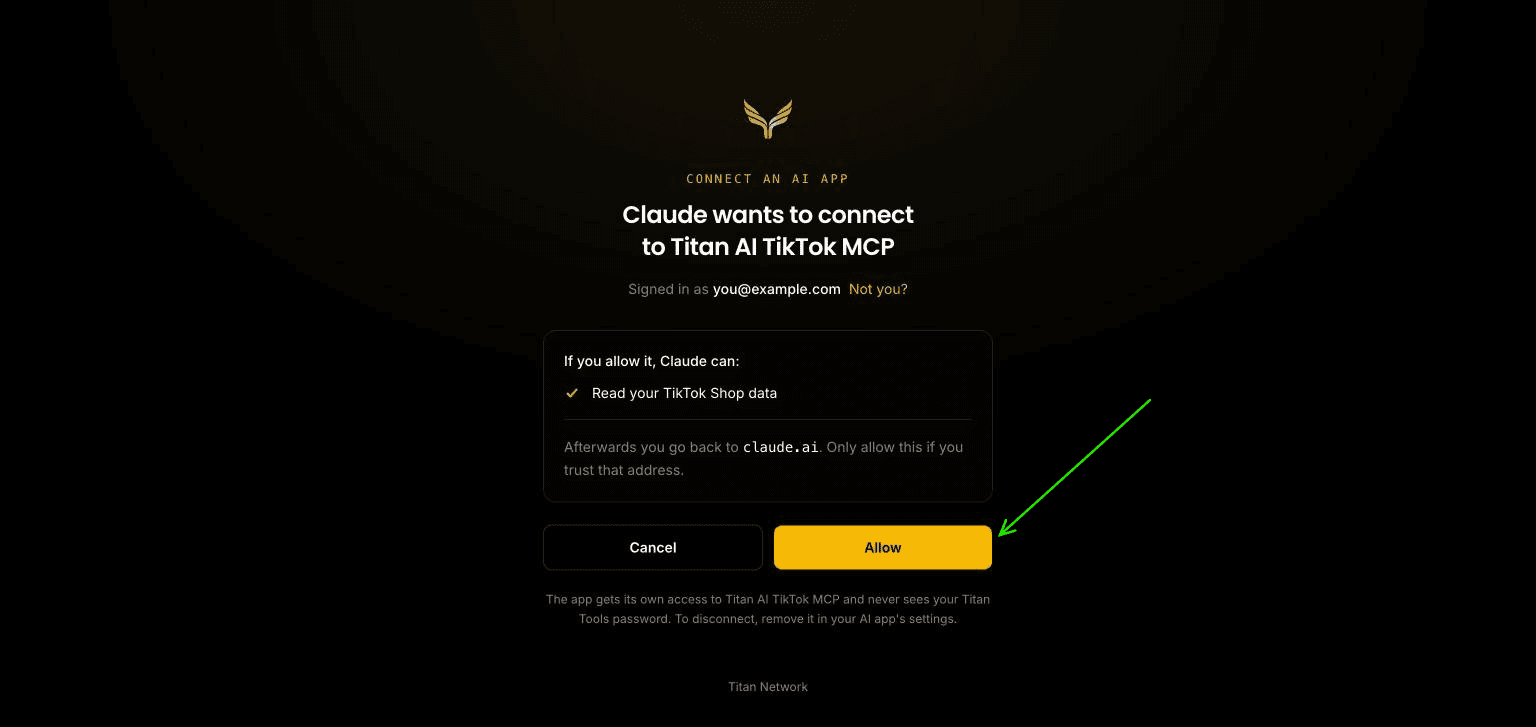
The app can only read your TikTok Shop data. - 6
You're connected
The connector lists its tools. Each one only reads.
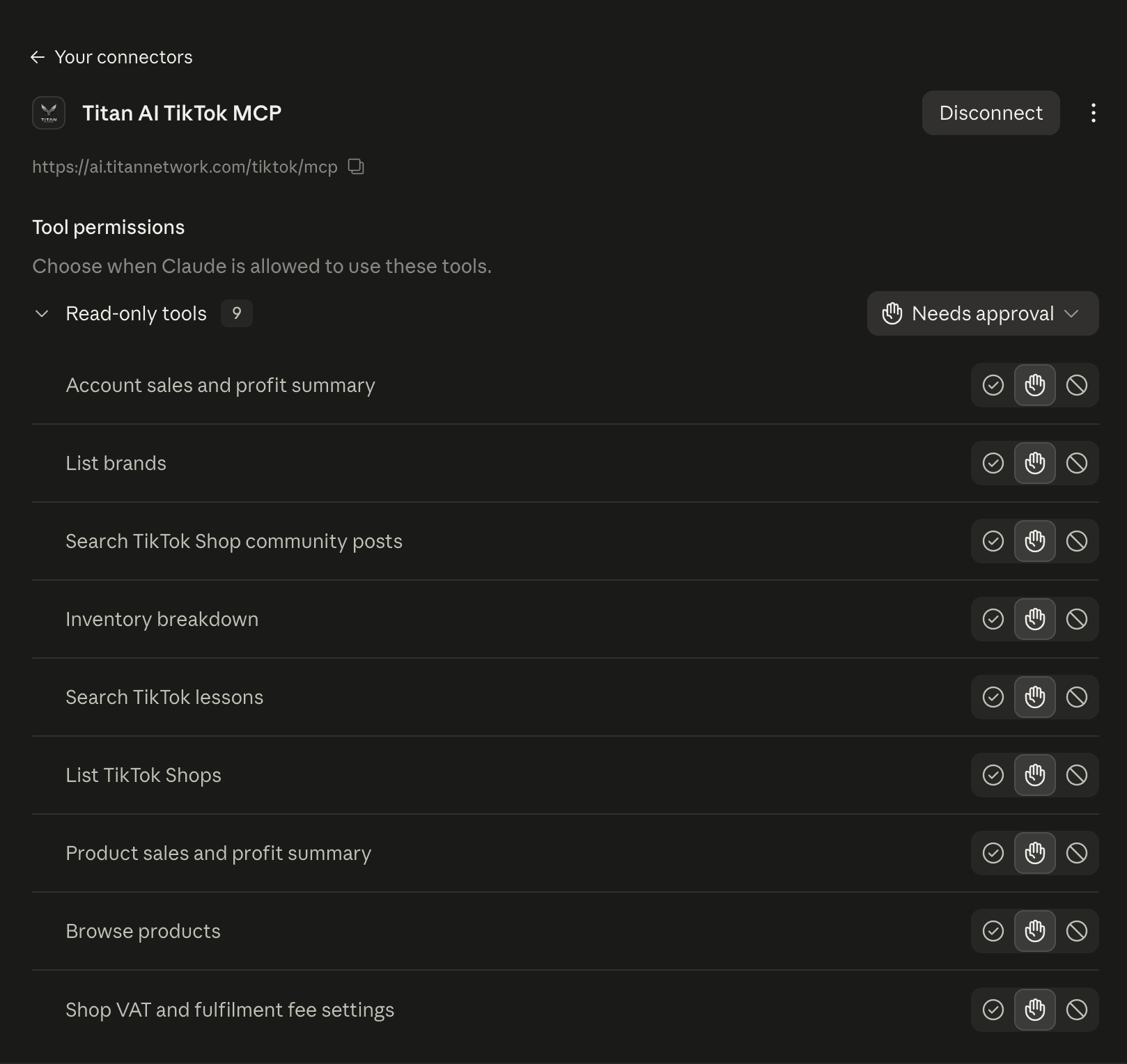
Nine read-only tools. - 7
Choose the shop when asked
If your account reaches more than one shop, the assistant asks which shop you mean the first time it needs one. Name it, and carry on asking.
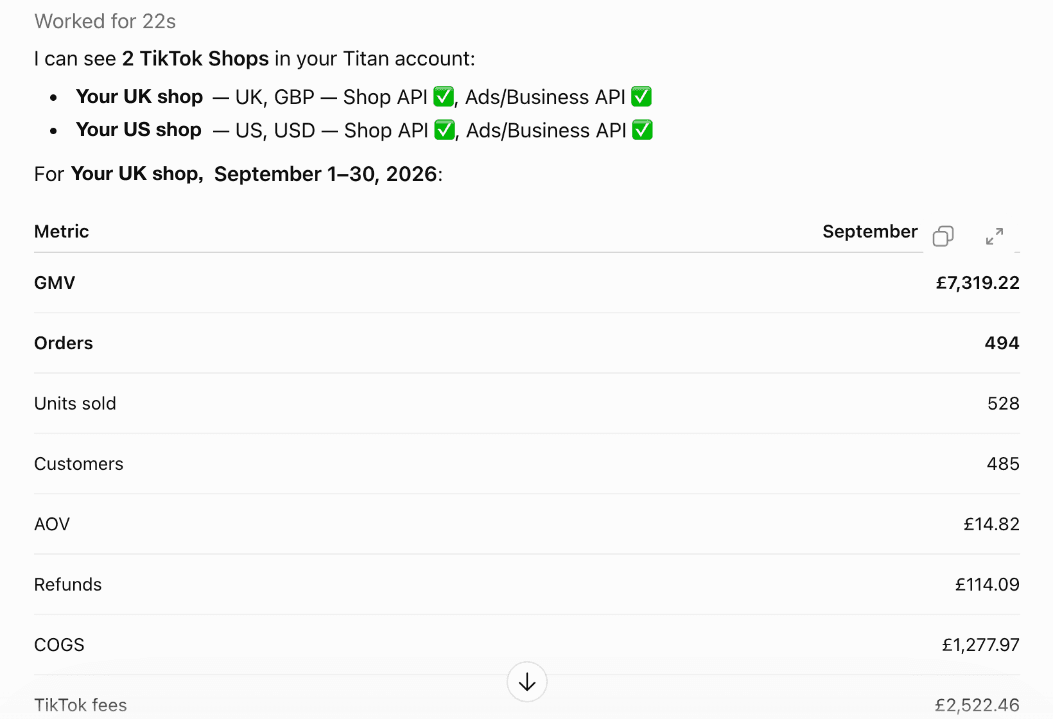
An answer from your own numbers.
What you can ask
Ask in your own words. Titan AI TikTok MCP lists every tool and two ways to ask for each.