 Titan AI
 Pause a connector or switch off a tool
Stop Titan AI using a connector for a while, or one of its tools, without removing anything.
You can stop Titan AI using a connector you added, for a while or for good, without deleting it. You can also switch off just one of its tools and keep the rest. This works for connectors you added through Add Custom, which includes Higgsfield and Composio.
Pause a connector
- 1
Open the connector
Go to Connectors & Skills and press the connector under My Connectors.
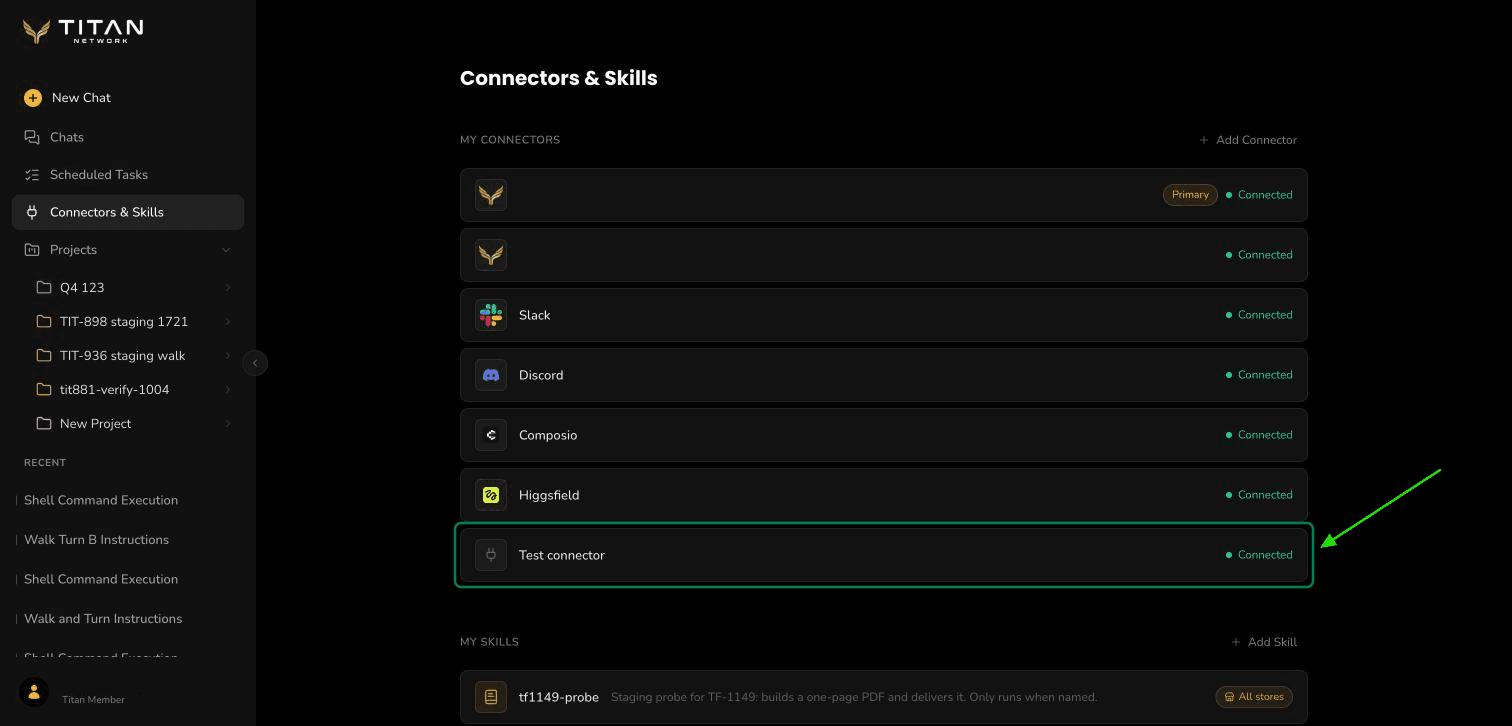
Your connectors are listed under My Connectors. - 2
Switch it to Paused
Under Availability, switch it from Active to Paused. While it is paused, Titan AI cannot see or use any of its tools, and its card shows Paused. Nothing is deleted.
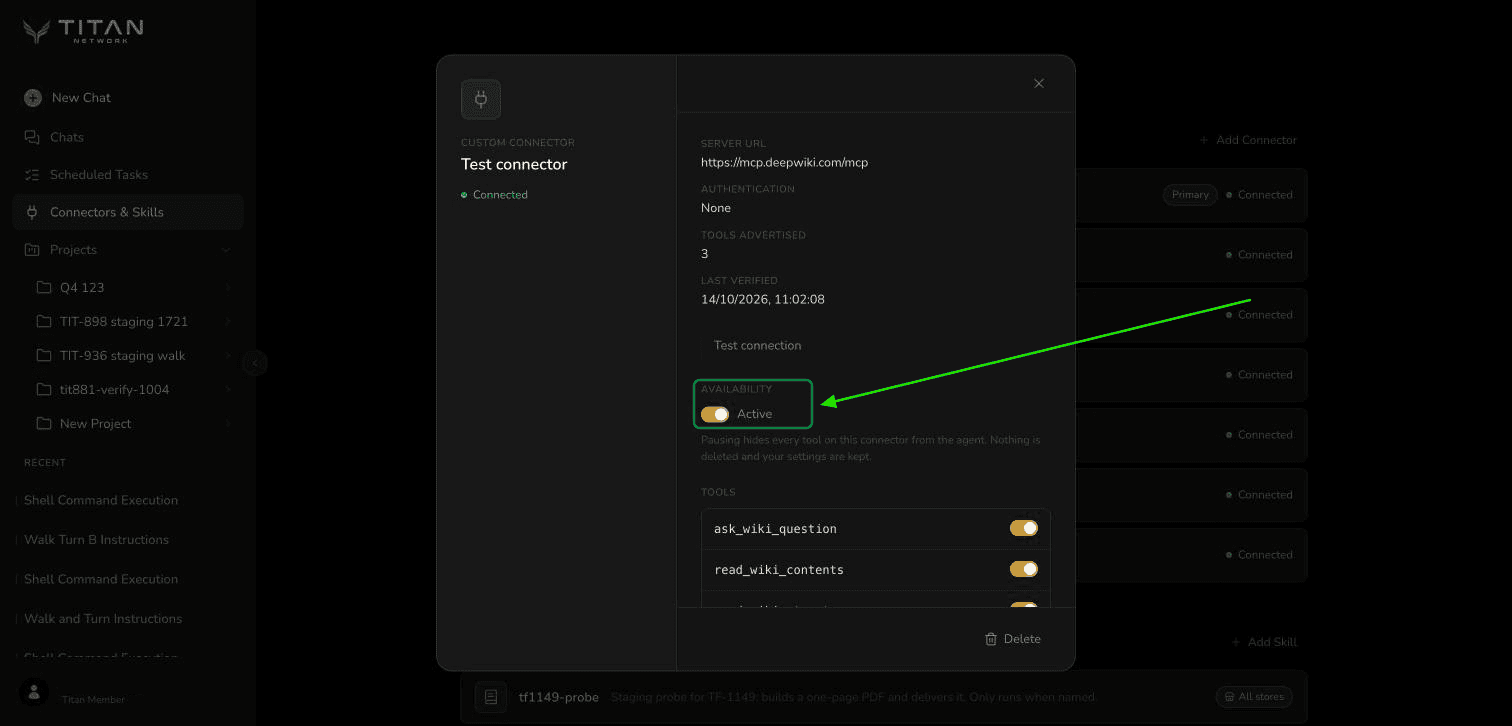
The Availability switch turns the whole connector on or off. 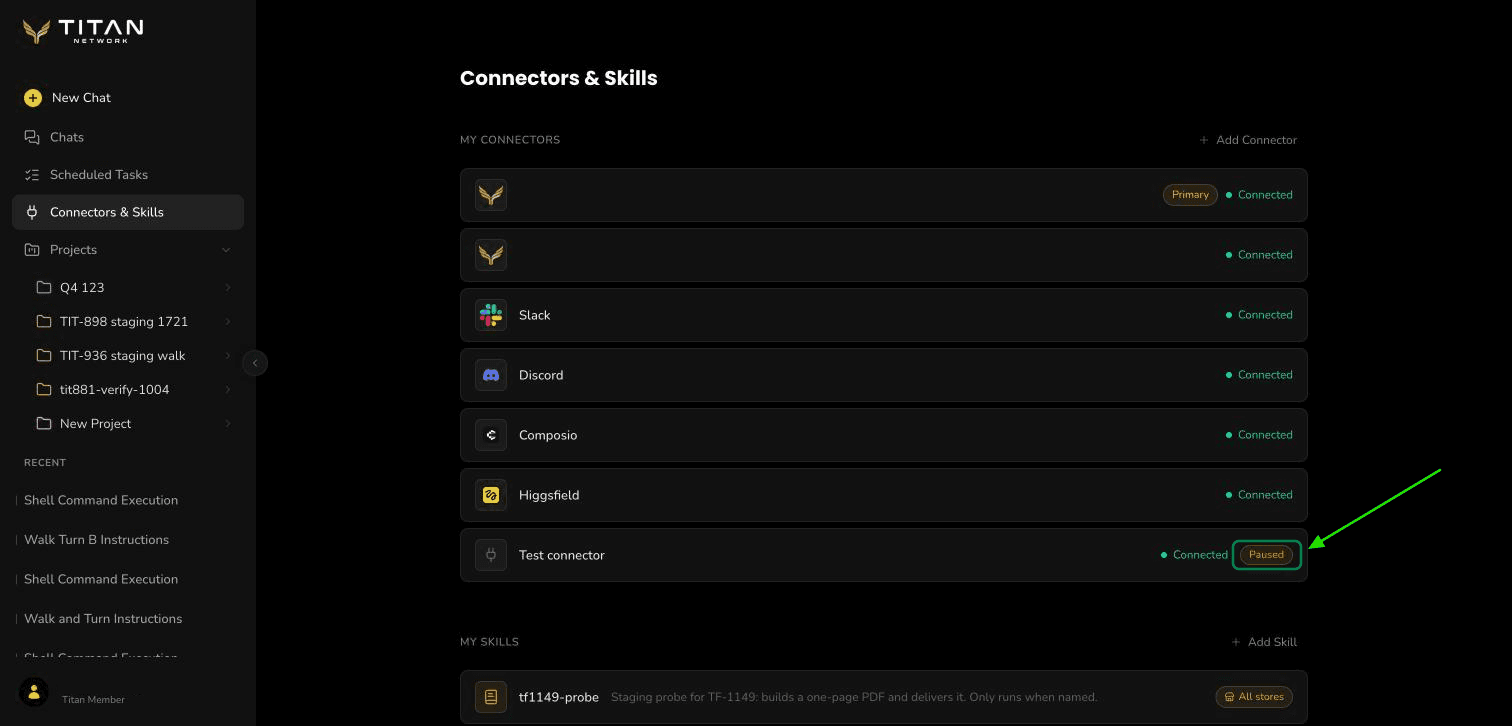
While it is paused, its card shows Paused and it keeps its place in your list. - 3
Switch it back on when you want it
Switch Availability back to Active and it works again straight away. If you connected it by signing in at the provider, you stay signed in, so you are not asked to sign in again.
Switch off a single tool
- 1
Find the tool
Open the connector the same way. Under Tools, every tool it offers has its own switch.
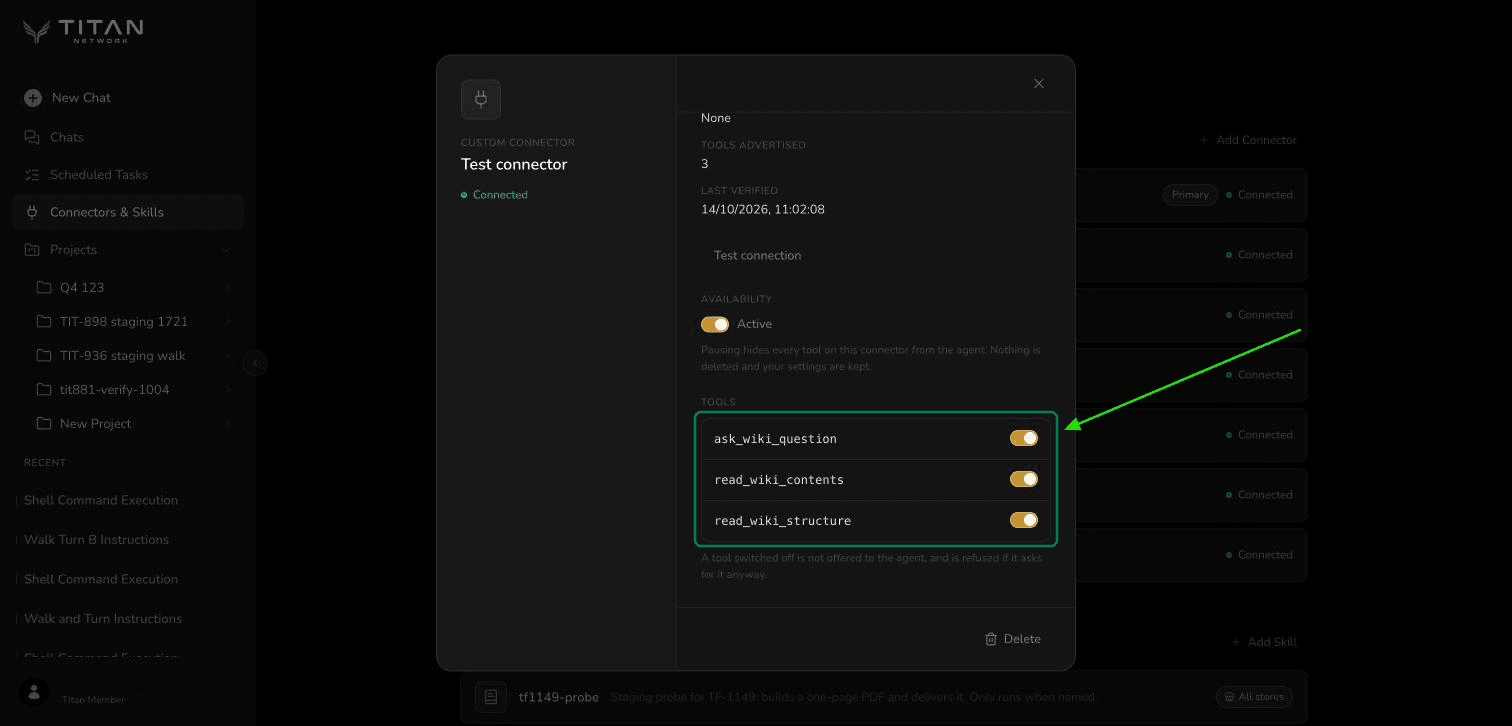
Each tool has its own switch. - 2
Switch it off
Turn the tool's switch off. Titan AI stops using that tool, and refuses it even if it asks for it. The rest of the connector keeps working. Switch it back on the same way.
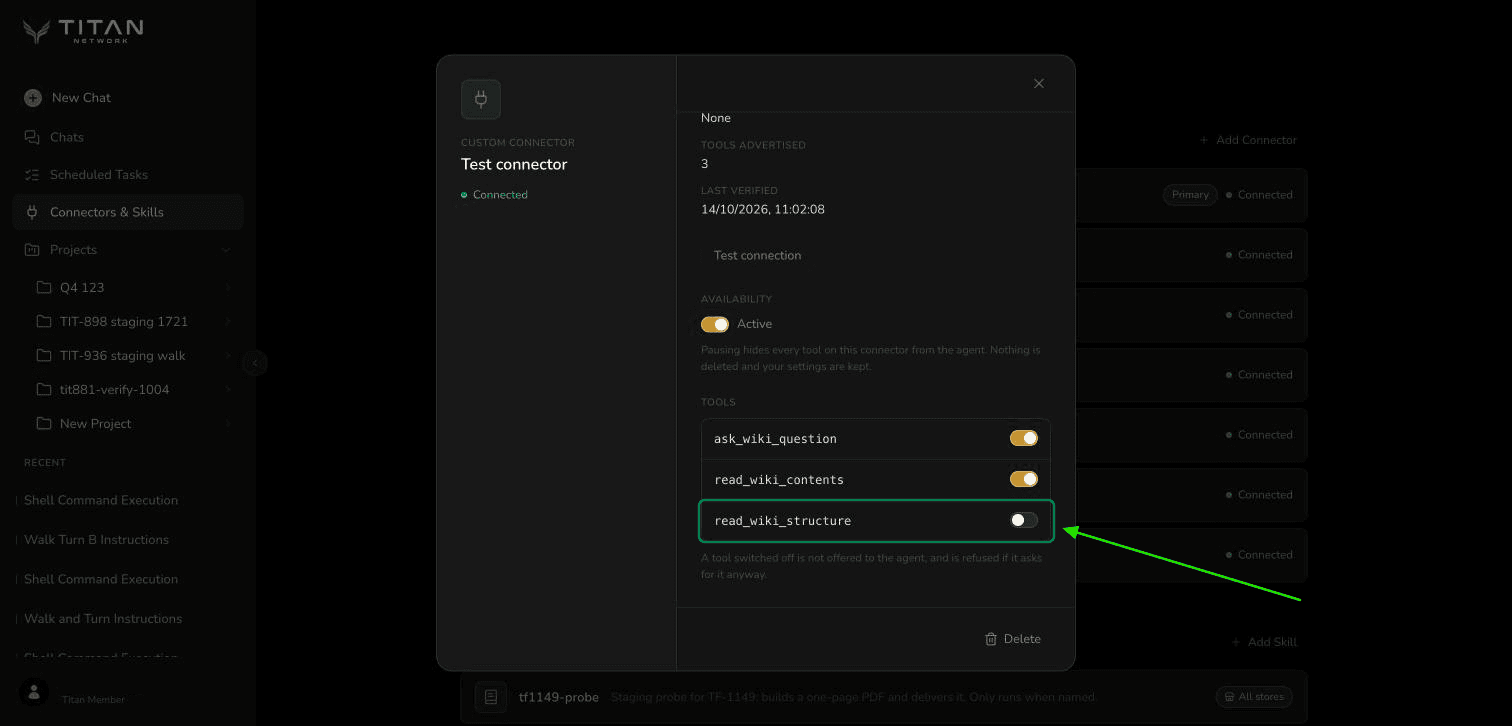
Only the tool you switched off stops. The others keep working.
Good to know
- You can switch off up to 64 tools on one connector. To stop more than that, pause the connector instead.
- If the connector stops offering a tool you switched off, the tool stays in the list, marked No longer offered when the connector sends its full list, so you can still switch it back on.
- Some connectors offer more tools than the list can show. When that happens the list says so, and the tools shown are the first ones the connector lists.
- Pausing a connector does not free one of your 12 connector places. To make room for a new one, remove a connector you no longer use.